Wix App Market Logo

wix logo


Trending Topics
e‑shop
rezervace
Události
vyskakovat

Accessibility Toolbar logo

Accessibility Toolbar

od
Let visitors adjust text, contrast and motion
Zatím žádné hodnocení
Zdarma

Přehled – Accessibility Toolbar

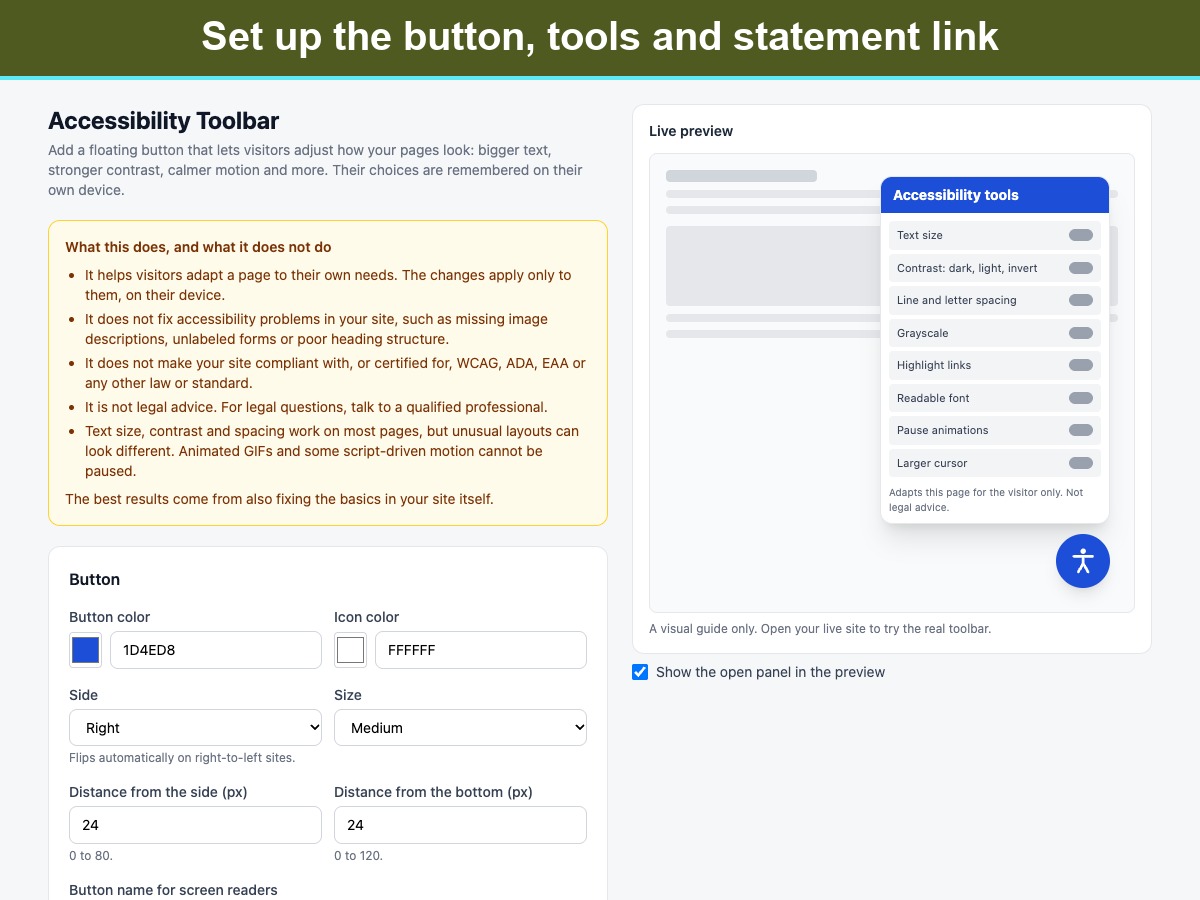
  • Text size up to 175% and wider line and letter spacing
  • Dark, light and inverted contrast, plus grayscale
  • Highlight links, readable font, larger cursor
  • Pause animations; choices are remembered per visitor
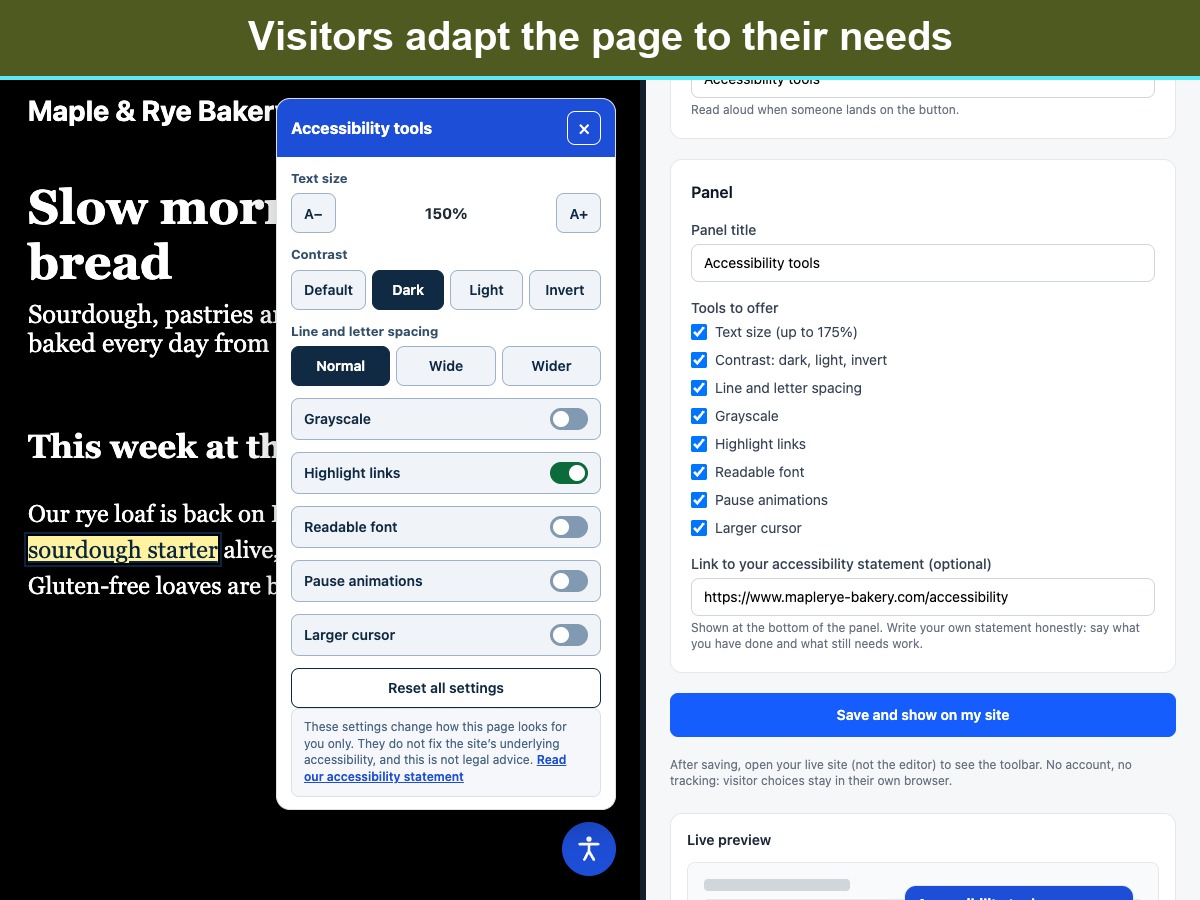
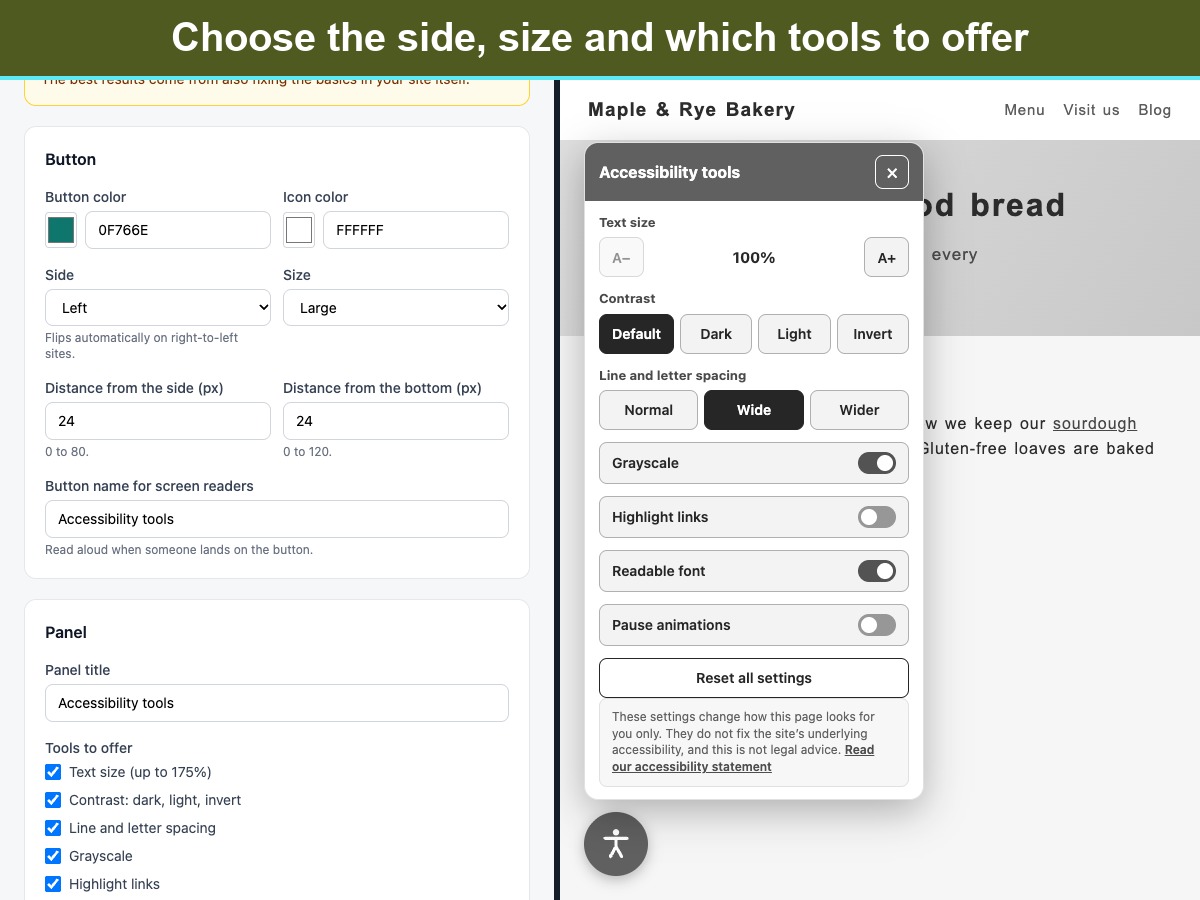
Accessibility Toolbar adds a floating button to your pages. Visitors open a small panel and adjust the page to suit them: larger text, stronger contrast (dark, light or inverted), grayscale, highlighted links, a plain readable font, wider line and letter spacing, paused animations and a larger cursor. A reset button undoes it all. Their choices are saved in their own browser, so the page looks the same on their next visit. The panel works with a keyboard (Tab, Enter, Esc to close), is announced properly to screen readers, flips sides on right-to-left sites, and follows the visitor's reduced-motion setting. There is nothing to sign up for. The toolbar loads no outside services, sets no cookies and collects no data. It has no visitor limits or usage caps. You choose the button color, size and position, which tools to offer, and an optional link to your own accessibility statement. Please note what it is. A toolbar helps visitors adapt a page, but it does not fix accessibility problems in the site itself, it does not make a site compliant with or certified for any law or standard, and it is not legal advice. Animated GIFs cannot be paused.
Dostupnost:
Tato aplikace je dostupná po celém světě.
Jazyky aplikace:
Angličtina
Veškerý obsah aplikace zobrazený na webu můžete přeložit do jakéhokoli jazyka.

Hodnocení & Recenze

Tato aplikace zatím nemá žádná hodnocení, buďte první, kdo ji ohodnotí.

Vytvořte a spusťte vaši další aplikaci pro více jak 230 milionů uživatelů Wix